
Key Takeaways
- Postcode maps visualize location data for marketing, sales, and planning
- Map creation needs accurate data and appropriate visualization tools
- Use reliable databases instead of incomplete open-source data
- Advanced features help optimize marketing and logistics analysis
Introduction
Having trouble making sense of market data from different countries? Postcode maps can help. They visualize relevant map data and make complex data actionable, bridging raw information and meaningful insights.
However, these maps can lead to errors and bad decisions without accurate postcode data.
Accurate postcode data is key for effective postcode mapping. Good data means better insights and smarter actions. It helps see the big picture, make better decisions, and avoid costly mistakes.
This guide shows how to create a postcode map using Microsoft Excel, Google Maps, and Mapize. For more on interactive map apps for postcode data, check out our article comparing the top 9 postcode mapping tools.
💡 Use accurate data to create a postcode map. We offer the most comprehensive and up-to-date international postcode data for enterprises. Browse GeoPostcodes datasets for free and download a sample here.
Applications of Postcode Maps
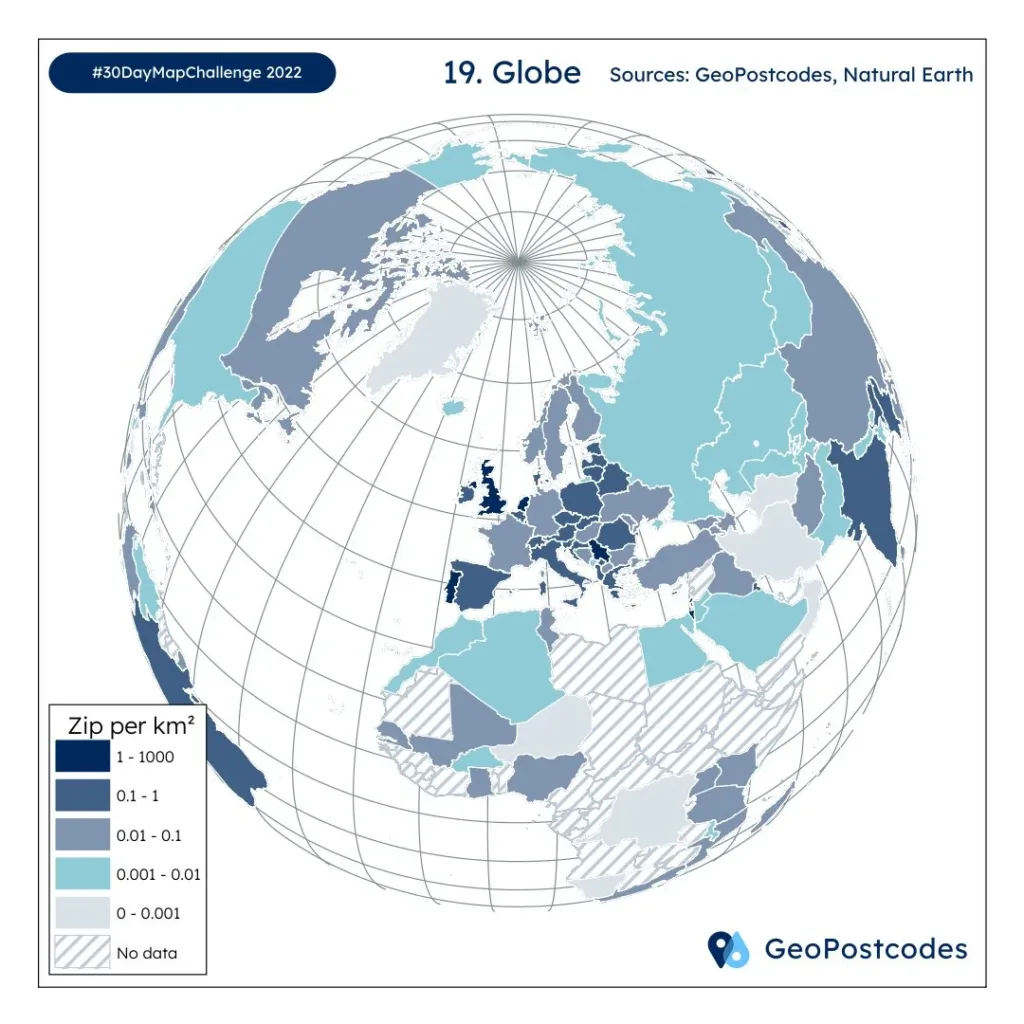
Postcode maps are effective for showing data in a visual way, making it easy to apply the information to real-life business decisions. Below are just a few examples:
Marketing and Sales Territory Planning
A primary use case for postcode maps is marketing and using a custom territory map for sales territory planning. These maps can help to:
- Pinpoint their target demographic: Identify where potential customers live based on factors like age, income, and interests.
- Categorize customers: Group customers into segments, making it easier to tailor marketing efforts to each group.
- Enhance their marketing strategies: Develop more effective marketing campaigns focusing on specific areas and customer groups.
- Assess sales outcomes based on postcode labels: Measure and compare sales performance in different postcode areas to understand which regions are most profitable.
Postcode maps clearly show where customers are, sales figures, revenue in different areas, market potential, consumer behavior, and competitive position. Based on this information, postcode maps help distribute resources and staff fairly and efficiently.
Logistics and Distribution Management
Planning delivery routes is often challenging due to unpredictable traffic, varying customer locations, and changing demand patterns. This can lead to high transport expenses, unhappy customers, and operational inefficiencies.
Using postcode maps in logistics and distribution management can help:
- Minimize Transport Expenses: Mapping customer demand, suppliers, and warehouses in different postal regions allows for more efficient route planning.
- Enhance Customer Satisfaction: Better route planning results in faster deliveries and happier customers.
- Boost Operational Efficiency: Streamlined routes and improved planning increase overall efficiency.
Additionally, postcode maps help monitor delivery progress, oversee inventory status, and ensure high service quality across different areas. This results in a seamless and reliable distribution operation.
💡 Use accurate data to create a postcode map. We offer the most comprehensive and up-to-date postcode data for 247 countries, ensuring precise and reliable information. Browse GeoPostcodes datasets for free and download a sample here.
Urban Planning and Analysis
Without clear insights, figuring out how to improve city areas and living standards can be tricky. Postcode maps can make a big difference for:
- Understanding Community Needs: These maps show people’s income levels, crime rates, and other important information, making it easier to see each neighborhood’s needs.
- Spotting Challenges and Opportunities: They help identify unique challenges and opportunities in different areas, guiding urban planners’ efforts.
- Creating Targeted Policies: Postcode maps help design and implement policies that address the specific issues of each area, promoting fair and sustainable growth.
Challenges of creating a postcode map
The biggest challenge when creating a postcode map is ensuring the accuracy of the data used. Postcodes often change due to urban expansion, population shifts, and the need to optimize mail delivery routes. Keeping track of all those changes is high maintenance for businesses and requires significant time and financial resources.
💡 Discover postcodes and administrative boundaries for 247 countries. We offer the most comprehensive and up-to-date postcode data for 247 countries, ensuring precise and reliable information. Browse GeoPostcodes datasets for free and download a sample here.
Without precise and up-to-date data, businesses face numerous problems:
- Inefficient Routes: Logistics and delivery companies might struggle with inefficient routes, leading to delays and higher fuel costs.
- Failed Marketing Campaigns: Marketing campaigns targeting specific demographics may miss the mark if data doesn’t reflect current population distributions.
- Incorrect Pricing Models: Real estate and insurance companies might set incorrect pricing models, affecting competitiveness and customer satisfaction.
- Address Validation Errors: E-commerce businesses can suffer from failed deliveries and lost sales due to errors in address validation.
Open-Source Data Resources to Plot Postcodes and Their Limitations
Open-source postcode data can help, but it often falls short in accuracy and completeness. Here are some examples of open-source data:
OpenStreetMap (OSM)
OpenStreetMap (OSM) is a popular open-source mapping platform where volunteers worldwide contribute to geographic data. This includes data on roads, buildings, and postcodes. While OSM is helpful, the data quality can vary.
In cities, coverage is usually great because more users contribute. But in rural or less developed areas, the data might be incomplete or outdated, leading to gaps in postcode information.
OpenStreetMap does not always have the most complete and up-to-date postcode data. As a result, you could be missing postcodes. Some OpenStreetMap postcodes should be discarded altogether, as they don’t respect the country’s postcode format.
Python Libraries: Pyzipcode and Uszipcode
Pyzipcode and uszipcode are extremely similar in coverage (USA) and features. They include a list of postcodes and associated properties like the town they belong to or coordinates.
The uszipcode library has a few more features and data sources. It also provides two different databases: simple and rich.
The simple database contains basic information about postcodes, such as city, state, latitude, longitude, etc. The rich database contains more detailed information, such as population, housing, income, etc.
The uszipcode library also provides a search engine that allows us to query postcodes based on various criteria, such as city, state, radius, population, etc.
These are convenient, but the underlying data is a bit blurry: it is unknown when the data is refreshed and which source is used to update it.
Another problem is the inconsistency in data formats across different sources. Countries and organizations often use different geographic and postal data formats, making it tricky to combine and standardize everything. This means preprocessing and validating the data are essential to creating an effective postcode map.
💡 Use accurate data to create a postcode map. We offer the most comprehensive and up-to-date international postcode data for enterprises. Browse GeoPostcodes datasets for free and download a sample here.
Three Methods to Create Your Own Custom Map
This section covers three popular and easy methods for creating a postcode map: using online map creators, leveraging Microsoft Excel, and utilizing Google Maps.
Using Online Map Makers
The easiest way to create a postcode map is by using an online map creator. These web-based tools make creating and customizing maps with your specific data simple.
First, make sure your data is accurate and organized in a spreadsheet or a CSV file, with postcodes listed in one column. Try a free sample of GeoPostcodes’ up-to-date worldwide postcode database for accurate and reliable postcode data.
Upload this data to the map maker, which will then automatically plot it on a map based on the postcodes.
Next, customize your map’s look and functionality. Change colors, labels, and symbols, or apply filters. You can add extra layers like heat maps, territory boundaries, or markers to make your map more detailed and useful.
Once you’re done, save, share, or export your map in various formats to suit your presentation or analysis needs.
Creating Maps in Microsoft Excel
Microsoft Excel is another tool for creating postcode maps. It includes a feature known as Power Map, a 3D visualization tool that empowers users to generate interactive maps based on their data. You can create a postcode map using the following Microsoft tutorial:
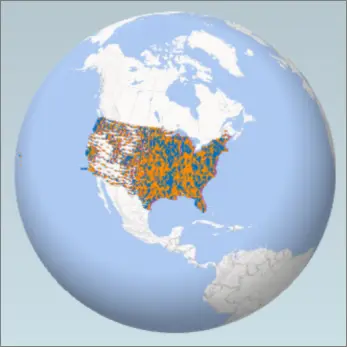
- Open your Microsoft Excel workbook with the data table or Data Model.
- If needed, prepare your data for 3D Maps or download a sample dataset.
- Click any cell in the table.
- Go to Insert > 3D Map. (The first time, this will enable 3D Maps.)
- 3D Maps will use Bing to geocode your data. After a few seconds, a globe appears with the Layer Pane.
- In the Layer Pane, ensure fields are mapped correctly. Use the drop-down arrows to adjust any incorrectly mapped fields.
- Example: Ensure “Seattle” is recognized as a City and Postcode as Postal Code.
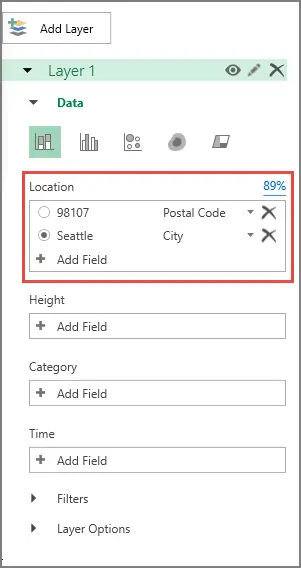
- Dots representing your data will appear on the globe.
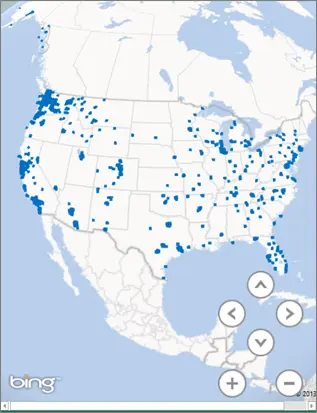
Customizing the map’s appearance is easy. Just choose the types, themes, and styles you want. Then, add labels, legends, or titles to enhance it. Additionally, creating different scenes or tours lets you show various aspects of your data.
The final map can be saved, shared, or exported as an image or video, making it useful for different scenarios.
Using Google Maps for Mapping Multiple Postcodes
Google Maps, with its all-in-one mapping services, is another effective option for creating postcode maps.
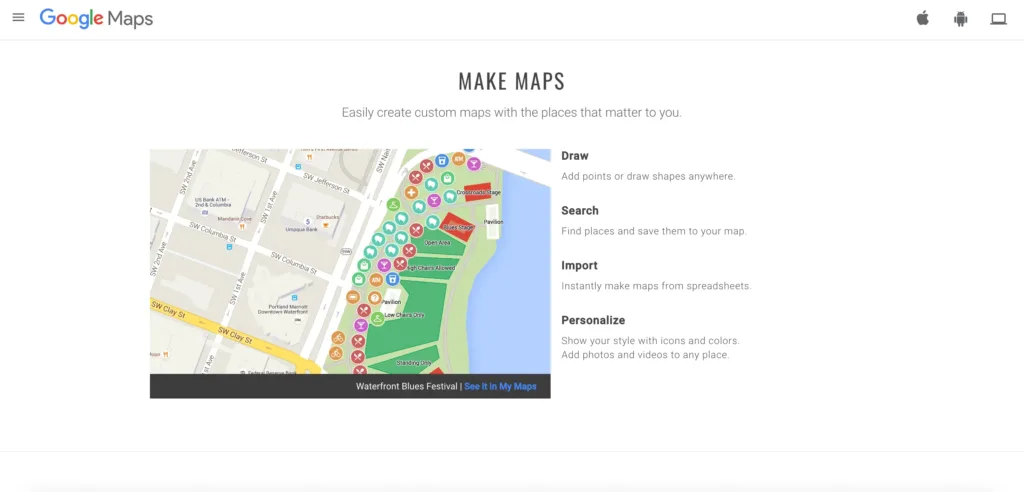
Get your data ready in a spreadsheet or CSV file with postcodes in one column. Import this into Google Maps using the My Maps feature to create a personalized map with markers for each postcode.
Personalise your map by changing marker styles, and adding layers, shapes, or directions. Explore it in satellite, terrain, or street view. Save, share, or export your custom map as a KML file or a link, depending on what you need.
There are plenty of tools and methods for making a postcode map with your data. The best option depends on your data, goals, and what you prefer. Up next is a detailed guide on making a postcode map using Mapize, one of the top online map creators.
Detailed Guide: Creating a Postcode Map with Mapize
Before diving in, please ensure your dataset is primed in a spreadsheet or a CSV format. This dataset should feature a column dedicated to postcodes alongside any other data columns you wish to visualize, such as customer demographics, sales figures, or revenue streams.
💡 Use reliable data to create a postcode map. We update our location data weekly, relying on more than 1,500 sources. Browse GeoPostcodes datasets for free and download a sample here.
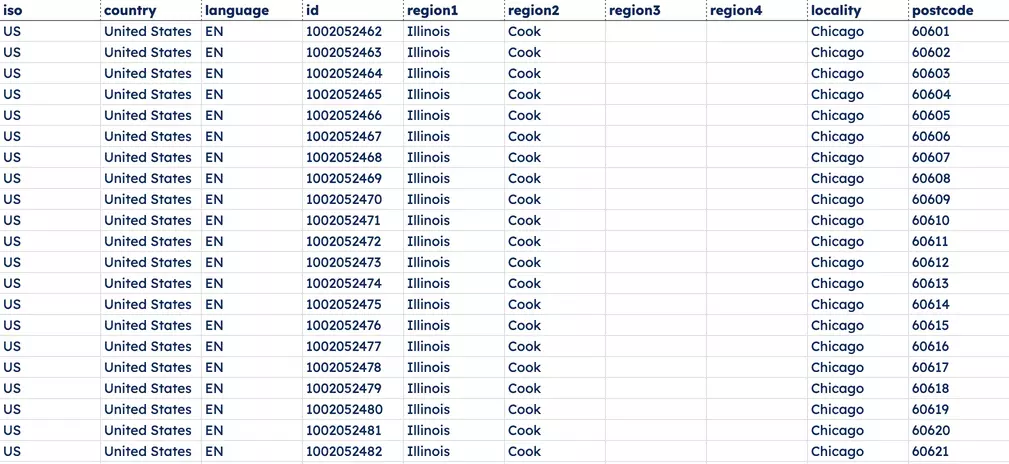
With your dataset at the ready, follow these steps to actualize your postcode map via Mapize:
- Navigate to the Mapize website and start your mapping journey by signing up for a complimentary account or logging into an existing one.
- Upon entering the dashboard, select “Create a new map” and give your project a name and description.
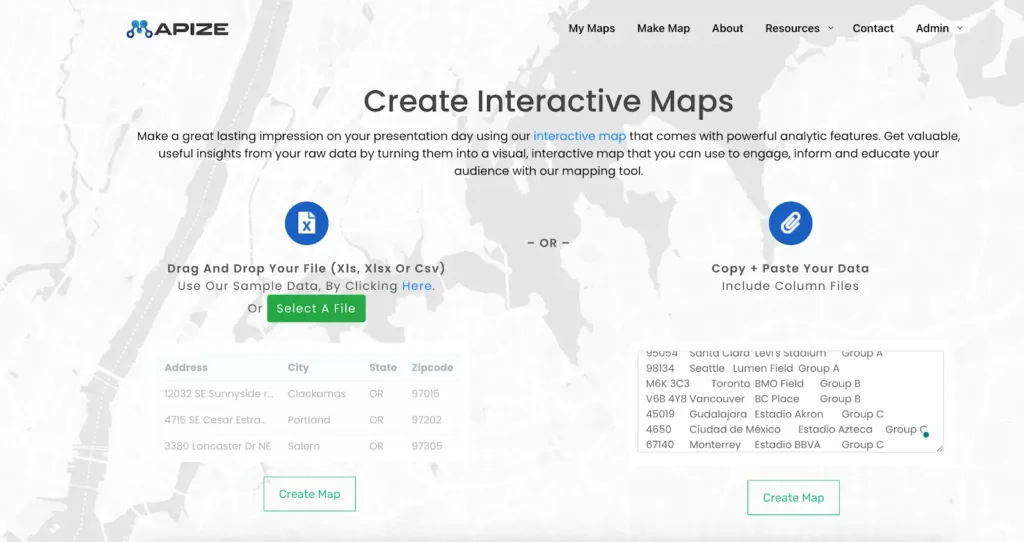
- Opt for the “Import data” feature, uploading the file that houses your data. The platform offers drag-and-drop for file importation.
- Mapize recognizes postcodes and additional data columns within your file. This stage allows for the refinement of column names and types, preparing you for the next step with a click on “Next.”
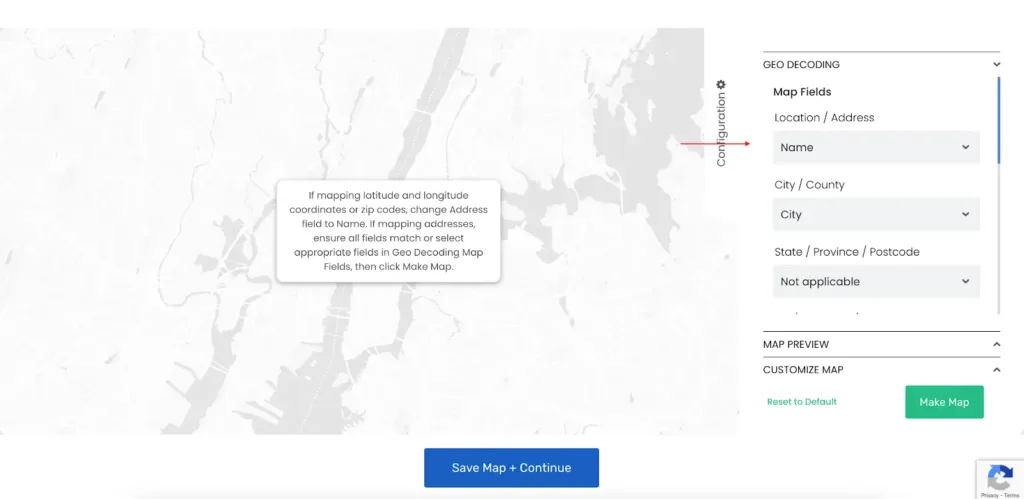
- The service then plots your provided data onto a map based on the postcodes, offering interactive capabilities like zooming, panning, and rotation for an immersive data visualization experience.
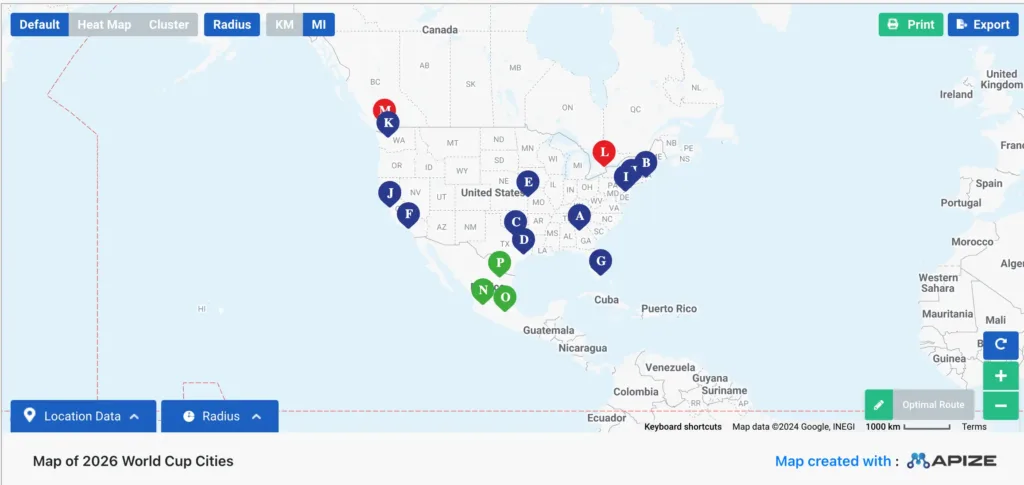
- Switch to the “Style” tab to customize your map’s look and features. Change map types, themes, and styles. Adjust colors, labels, symbols, and filters for data points. Add extra layers like heat maps, territory boundaries, or markers to enhance your map.
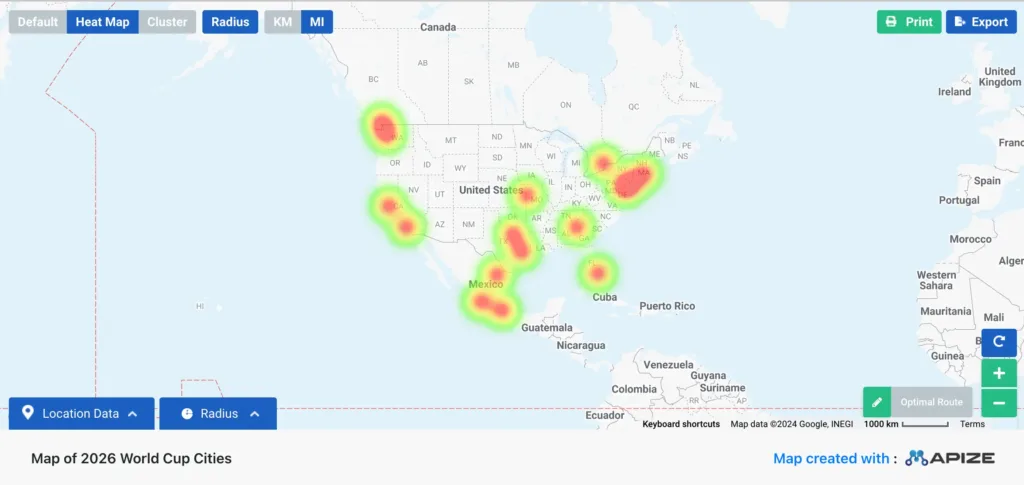
The “Share” tab lets you finalize, share, or export your map. Get a link to share, embed the map on websites, or download it in various formats.
With these steps completed, your postcode map is ready with Mapize and will be a valuable tool for data exploration, analysis, and communication.
To make any modifications or updates to your map, simply revisit the dashboard and select the map.
Advanced Features for Postcode Maps
Enhance your postcode map with advanced features to gain deeper visual and analytical insights. Here are three key enhancements:
Adding Proximity Radius Circles
Adding proximity radius circles to your postcode map is a game-changer. These circles highlight areas around a central point, showing distances and helping with various analyses.
Why Use Proximity Radius Circles?
- Measure Distances: Easily see how far different postcodes are from a central location.
- Identify Key Areas: Find which postcodes fall within a certain radius. For example, see all postcodes within 10 miles of your store or compare how close competitors are.
How to Add Proximity Radius Circles:
- Get Your Data Ready: Make sure your data includes postcodes and distances.
- Set Parameters: Pick a central postcode and decide on the radius distance.
- Generate Circles: Use tools like Mapline to create circles. These circles will show all postcodes within your chosen radius. You can customize each circle with different colors, labels, and radius sizes for a more detailed view.
This feature makes your postcode map more insightful, helping you make better decisions for marketing, logistics, and competition analysis.
Customizing Map Appearance
Benefits of Customizing Your Map
- Make it stand out: Adjust colors, themes, and styles to make your map more visually appealing.
- Add extra information: Use features like heat maps, territory lines, or markers to make your map more informative and interactive.
- Clear communication: Modify labels and symbols to better highlight your data.
How to Customize Your Map:
- Change the look: Switch up the map type, theme, and style.
- Improve visuals: Adjust colors, labels, and symbols.
- Add layers: Integrate heat maps, territory boundaries, or markers for extra detail.
Experimenting with these settings can really boost your map’s functionality, helping you get more insights and make better decisions.
Exporting Your Map
Most online map makers support exporting in diverse formats like PNG, JPEG, PDF, or KML. Some platforms also allow for sharing via links or embed codes, which is helpful for websites or blogs.
Foursquare Studio, for example, offers various exporting options to meet different needs and purposes.
Using these advanced features can make your postcode maps much more relevant.
Conclusion
In wrapping up this discussion, you’ve learned how to create a postcode map tailored to your data. Postcode maps are valuable tools for marketing, sales strategies, and logistics. They help you visualize and analyze data effectively, making your operations more efficient and targeted.
With more than 15 years of experience, we offer the most comprehensive, accurate, and up-to-date geocoded postcode data. This cannot be guaranteed by built-in geocoding services provided by postcode mapping tools, which do not own data that is reliable enough. Browse GeoPostcodes datasets and download a free sample here.
FAQ
Can I make a map of postcodes?
Indeed, using only postcodes to craft a map visualization is achievable with various online resources and techniques.
One notable option is Mapize, a robust tool that enables you to create a postcode map by allowing users to upload their data, including postcodes, through a spreadsheet or Google Sheets, simplifying the mapping process.
How to create a map from a list of postcodes?
Several strategies are available to create a map from postcodes. One approach is to use Microsoft Excel to develop a map chart tailored to your postcode data.
Google Maps also allows you to plot multiple postcodes by inputting them into the search bar.
Tools specifically designed for creating postcode maps, such as BatchGeo, Mapize, or ShowMyMap, present another alternative.
These platforms enable users to input their data and postcodes, generating a map equipped with diverse functionalities.
How to map postcodes in Google Maps?
Compile the postcodes in a spreadsheet, export them as a CSV file, and import them into Google My Maps.
Can Microsoft Excel do a Postcode map?
Microsoft Excel is equipped to create a Postcode map. By leveraging the Geography Data Type, Postcodes can be transformed into geographical entities on your map.
Subsequently, utilizing the Filled Map Chart feature allows for the visualization of those locations through a map derived directly from your data.
How Can I Create a Postcode Map Using an Address, City, State, Zipcode?
To create a postcode map using an address, city, state, and zipcode, you can use online mapping tools or GIS software.
These tools allow you to input detailed location data, such as the address, city, state, and zipcode, to visually represent the postcode areas.
Are Postcode Tabulation Areas (ZCTAs) by the U.S. Census Bureau the same as Postcodes?
The U.S. Census Bureau offers geospatial data, including Postcode Tabulation Areas (ZCTAs). ZCTAs are generalized versions of USPS postcodes made for census data.
They’re accurate for demographics and analysis but aren’t updated often. So, they might not show recent changes in postcode boundaries due to urban development or other factors.
How do I plot Postcodes on a map?
To learn how to plot Postcodes on a map, use postcode boundaries to create custom Postcode maps. Display only Postcodes by adjusting the default map view. Once customized, generate a unique map link to share or embed your map easily.