
Introduction
Postcodes are essential to any address, whether for sending mail, ordering online, or finding a location on a map.
Postcodes help to identify the specific area where a person or a business is located, and they can also provide useful information about the demographics, population, and geography of that area.
However, not all postcodes are created equal. Different countries have different formats and standards for postcodes; variations and exceptions may exist even within the same country.
For example, in the United States, postcodes are composed of five digits, followed by an optional four-digit extension. In Canada, postcodes are six alphanumeric characters, alternating between letters and numbers, and separated by a space after the first 3 characters. In the United Kingdom, postcodes can be 5 to 7 characters long, separated by a space before the last 3 characters.
💡 For over 15 years, we have created the most comprehensive worldwide postcode database. Our location data is updated weekly, relying on more than 1,500 sources. Browse GeoPostcodes datasets and download a free sample here.
As a Python developer, you may encounter situations where you need to validate, clean, or manipulate postcodes in your data. For instance, you may want to check if a user has entered a valid postcode in a form to infer the state or city from a postcode or to standardize the format of postcodes in your database.
How can you accomplish these tasks efficiently and accurately in Python?

In this article, we will show you how to handle postcode validation in Python using various strategies and techniques. We will cover the basics of postcode formats, how to implement postcode validation strategies in Python, and how to use advanced techniques for postcode validation.
By the end of this article, you will be able to tackle any postcode challenge in Python with confidence and ease. You will also need the provided postcode sample CSVs downloaded to your computer. Check our portal to download free samples.
The Basics of Postcode Formats
Before diving into the details of how to validate postcodes in Python, we need to have a basic understanding of the different postcode formats in the world. Postcode formats vary widely from country to country and sometimes even within the same country.
Knowing the format of a postcode is essential for validating it, as it allows us to check if the postcode has the correct length, structure, and characters. This section will discuss the most common postcode formats used globally and focus on understanding these formats for validation purposes.
US Postcode Standards
The United States Postal Service (USPS) uses two main formats for postcodes: the standard five-digit postcode and the POSTCODE+4 code. The standard 5-digit postcode consists of five numbers identifying a specific geographic area within the US.
For example, 90210 is the postcode for Beverly Hills, California. The POSTCODE+4 code is an extension of the 5-digit postcode that provides more precise information about the delivery point. It consists of the 5-digit postcode, followed by a hyphen and four additional digits.
A different case, 90210-1234 is a POSTCODE+4 code for a specific address in Beverly Hills. The POSTCODE+4 code is optional but can help speed up mail delivery and sorting. To validate a US postcode, we must check if it has five or nine digits and contains only numbers and a hyphen.

International Postcode Formats
While the US postcode format is relatively simple and uniform, other countries have more complex and diverse postcode formats. Some countries use letters, numbers, or both, and some use spaces, hyphens, or other symbols to separate the postcode components. Some countries have fixed-length postcodes, while others have variable-length postcodes.
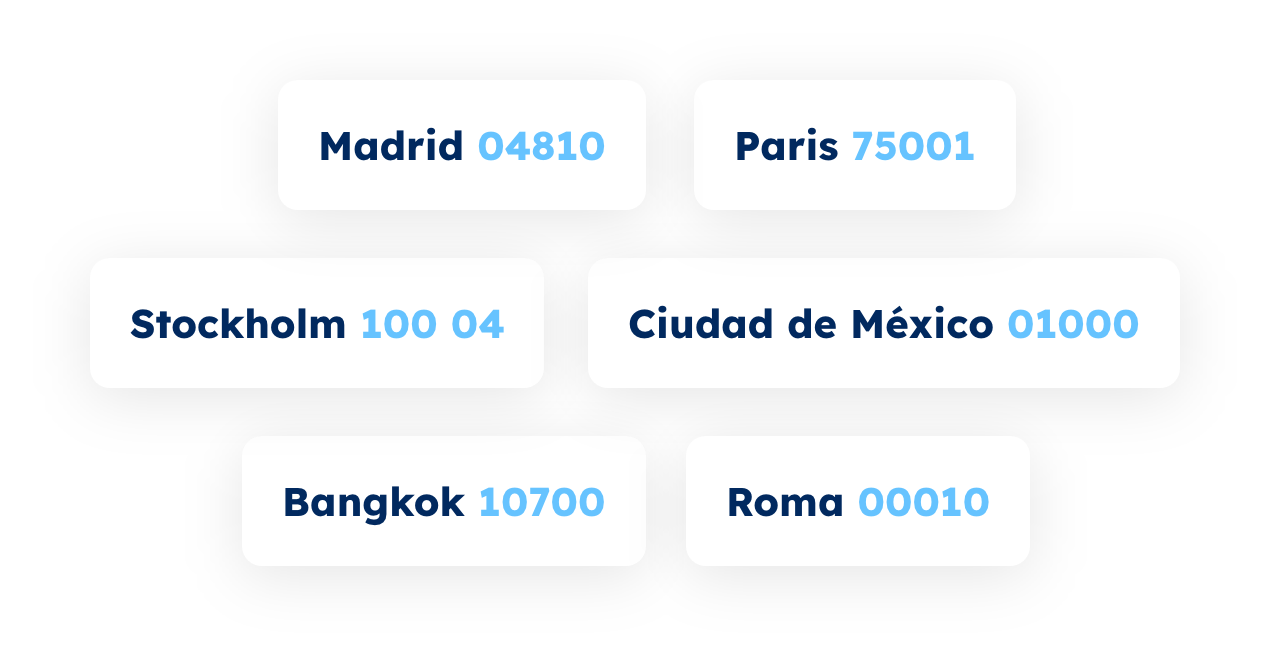
Here are some examples of postcode formats from different countries to illustrate the diversity in postcode patterns:
- Canada: A9A 9A9 or A9A-9A9. Canada uses six alphanumeric characters, alternating between letters and numbers and separated by a space or a hyphen. The first letter indicates the postal district (corresponding to the province or territory, except in Ontario and Quebec, which are divided into several postal districts). The next 2 characters complete the Forward Sortation Area: When it starts with a 0, it denotes a large rural area; otherwise, it is an urbanized area. The last three characters identify the local delivery unit. For example, K2C 3P4 is the postcode for a street in Ottawa, Ontario.
- France: 99999. France uses five numeric digits, with the first two indicating the department and the last three indicating the commune or delivery area. For example, 75001 is the postcode for the 1st arrondissement of Paris.
- Japan: 999-9999. Japan uses seven numeric digits, with the first three indicating the prefecture and the last four indicating the town, village, city, or ward. A hyphen separates the first three and the last four digits. For example, 100-0001 is the postcode for Chiyoda, Tokyo.
- United Kingdom: A9 9AA or A9A 9AA or A99 9AA or AA9A 9AA or AA99 9AA or AA9 9AA. The UK uses a variable-length alphanumeric format, with two to four characters in the first part and three in the second part. A space separates the two parts. The first part indicates the area and the district, and the second part indicates the sector and the unit. For example, W1D 1LS is the postcode for 2 addresses on Oxford Street, London.
As you can see, there is no universal standard for postcode formats, and each country has its own rules and conventions. To validate an international postcode, we need to know the specific format of the country where the postcode belongs and check if it matches the expected pattern. In the next section, we will show you how to implement postcode validation strategies in Python using various methods and libraries.
Implementing Postcode Validation Strategies in Python
Now that we have learned about the different postcode formats, we can start writing validation code in Python. A validation code is a piece of code that checks if a given input matches certain criteria or patterns. In our case, we want to check if a given string is a valid postcode for a specific country or region.
There are different ways to implement validation code in Python, but we will focus on three main approaches: regular expressions, Python libraries, and querying postcode APIs.
Using Regular Expressions
One of the simplest and most powerful ways to validate postcodes in Python is to use regular expressions. Regular expressions are a sequence of characters that define a search pattern, which can be used to match, find, or replace strings. Regular expressions are very flexible and expressive, and they can handle a variety of postcode formats with ease. To use regular expressions in Python, we need to import the re module, which provides various functions and methods for working with regular expressions. The basic syntax for using regular expressions to validate postcodes in Python is as follows:
import re
pattern = r"regular expression for postcode format"
zip_code = "zip code to be validated"
match = re.match(pattern, zip_code)
if match: print("Valid postcode")
else: print("Invalid postcode")
The pattern variable contains the regular expression for the postcode format that we want to validate. The zip_code variable contains the postcode that we want to check. The re.match function tries to match the postcode with the pattern and returns a match object if successful or None if not. The if statement checks if the match object exists and prints the appropriate message. For example, if we want to validate a US postcode, we can use the following regular expression:
pattern = r"^\d{5}(-\d{4})?$"This regular expression means that the postcode must start with five digits, optionally followed by a hyphen and four more digits. The ^ and $ symbols indicate the beginning and the end of the string, respectively. The \d symbol represents any digit, and the {n} symbol indicates the number of repetitions. The (-\d{4})? part is enclosed in parentheses, which creates a group, followed by a question mark, which means that the group is optional. If we run the following code, we will get the expected output:
import re
pattern = r"^\d{5}(-\d{4})?$"
zip_code = "90210-1234"
match = re.match(pattern, zip_code)
if match: print("Valid postcode")
else: print("Invalid postcode")
Output:
Valid postcode
However, if we change the postcode to something invalid, such as “90210-12345” or “9021A-1234”, we will get the following output:
Invalid postcode
We can use similar regular expressions to validate other postcode formats, such as Canada, France, Japan, and the UK. Here are some examples of regular expressions for these formats:
Canadapattern = r"^[A-Z]\d[A-Z] \d[A-Z]\d$"#
Francepattern = r"^\d{5}$"#
Japanpattern = r"^\d{3}-\d{4}$"#
UKpattern = r"^[A-Z]{1,2}\d[A-Z\d]? \d[A-Z]{2}$"
As you can see, regular expressions are versatile and powerful, and they can easily handle most postcode formats. However, regular expressions also have some limitations and drawbacks. For instance, regular expressions cannot check if the postcode exists or corresponds to a valid location. They can only check if the postcode matches the expected pattern. Moreover, regular expressions can be complex and hard to read and maintain, especially for more complicated postcode formats.
Therefore, regular expressions are best suited for simple and quick postcode validation but may not be enough for more advanced and robust processes. In the next section, we will show you how to use some external libraries that can provide more functionality and convenience for postcode validation in Python.
Leveraging Python Libraries
Another way to validate postcodes in Python is by using Python libraries specifically designed for this purpose. Python libraries are collections of modules that provide reusable code and functionality for various tasks. Many Python libraries are available for different purposes, such as data analysis, web development, machine learning, etc. Some libraries provide postcode validation features, such as pyzipcode or uszipcode. These libraries usually have a database of postcodes and their associated information, such as city, state, latitude, longitude, etc. They also provide methods to search, filter, and validate postcodes based on various criteria.
Pyzipcode and Uszipcode
Pyzipcode and uszipcode are extremely similar in coverage (USA) and features. They include a list of postcodes and associated properties like the town they belong to or coordinates. Both libraries can be installed with pip. The uszipcode library has a few more features and data sources. It also provides two different databases: simple and rich.
The simple database contains basic information about postcodes, such as city, state, latitude, longitude, etc. The rich database contains more detailed information, such as population, housing, income, etc. The uszipcode library also provides a search engine that allows us to query postcodes based on various criteria, such as city, state, radius, population, etc.
These are convenient, but the underlying data is a bit blurry: it is unknown when the data is refreshed and which source is used to update it.
Below are some example codes to validate postcodes with these 2 libraries.
First, to use the pyzipcode library, we must install it using pip and then import the ZipCodeDatabase class from the pyzipcode module. We can then create an instance of the ZipCodeDatabase class and use its methods to access and validate postcodes. For example, to check if a postcode exists in the database, we can use the following code:
pip install pyzipcode
from pyzipcode import ZipCodeDatabase
zcdb = ZipCodeDatabase()
def validate_zipcode(zipcode):
# Check if the postcode is in the database and return True or False
return zipcode in zcdb
We can use this function to validate any postcode that is in the pyzipcode database, as shown below:
>>> validate_zipcode("90210")
True
>>> validate_zipcode("9021")
False
The pyzipcode library also provides other methods to get information about a postcode, such as its city, state, latitude, longitude, etc. For example, to get the city name of a postcode, we can use the following code:
>>> zcdb["90210"].city
'Beverly Hills'
Unfortunately, it seems pyzipcode does not cover international postal codes anymore (e.g., looking for Canadian postal codes returns invalid postal codes), and it is unclear where the US data is coming from: some postal codes introduced over 6 months ago are missing (e.g., 85144).
Second, to use the uszipcode library, we must install it using pip and then import the SearchEngine class from the uszipcode module. We can then create an instance of the SearchEngine class and use its methods to access and validate postcodes. For example, to check if a postcode exists in the database, we can use the following code:
pip install uszipcode
from uszipcode import SearchEngine
search = SearchEngine()
def validate_zipcode(zipcode):
# Check if the postcode is in the database and return True or False
return bool(search.by_zipcode(zipcode))
We can use this function to validate any postcode that is in the uszipcode database, as shown below:
>>> validate_zipcode("90210")True
>>> validate_zipcode("9021") True
>>> validate_zipcode("K1A 0B1")False
>>> validate_zipcode("00210") False
Note that 9021 was automatically “corrected” by adding a leading 0. It matched the existing postal code 09021 which serves for military purposes (Apo).
The uszipcode library also provides other methods to get information about a postcode, such as its city, state, population, housing, income, etc. For example, to get the population of a postcode, we can use the following code:
>>> search.by_zipcode("90210").city
Beverly Hills
>>> search.by_zipcode("9021").city
Apo
pgeocode
pgeocode is a Python library for high-performance offline querying of GPS coordinates, region name, and municipality name from postal codes. Distances between postal codes, as well as general distance queries, are also supported. The GeoNames database includes postal codes for 83 countries.
Currently, only queries within the same country are supported. To use pgeocode in Python, we need to install it with pip install pgeocode or conda install -c conda forge pgeocode, then import it with import pgeocode. The basic syntax for using pgeocode to validate postcodes in Python is as follows:
import pgeocode
nomi = pgeocode.Nominatim('country_code')
result = nomi.query_postal_code('zip_code')
if result.empty:
print("Invalid postcode")
else:
print("Valid postcode")
The country_code parameter is a two-letter ISO country code, such as ‘us’ for the United States, ‘fr’ for France, ‘jp’ for Japan, etc. The zip_code parameter is the postcode that we want to check. The query_postal_code method returns a pandas.DataFrame object with the information about the postcode, such as the place name, state name, county name, latitude, longitude, etc. If the postcode is invalid or does not exist, the result will be an empty DataFrame. For example, if we want to validate a French postcode, we can use the following code:
import pgeocode
nomi = pgeocode.Nominatim('fr')
result = nomi.query_postal_code('75013')
if result.empty: print(result)
else: print("Valid postcode")
Output:
Valid postcode
However, if we change the postcode to something invalid, such as ‘99999’ or ’75A13′, we will get the following output:
Invalid postcode
As you can see, pgeocode is a very convenient and fast library for validating and querying postcodes in Python, and it can handle many international postcode formats. However, pgeocode also has some limitations and drawbacks. It does not cover postal codes for all countries, far from it (around 50% of the countries with postal code systems), and it does not provide any information about the postcode type, such as standard, PO box, military, etc.
Moreover, it does not have the most up-to-date postcode data for covered countries (e.g., 85144 in the US or 4515 AC in the Netherlands). Therefore, pgeocode is best suited for simple and offline postcode validation and querying, but it will not be enough for more critical tasks. In the next section, we will show you how to use external APIs that can provide more functionality and convenience for postcode validation in Python.
Integrating with External Postcode APIs
One of the limitations of regular expressions and external libraries is that they cannot always verify if a postcode exists or corresponds to a valid location. They can only check if the postcode matches the expected pattern or if it belongs to some past postcode list, which may be outdated. You can use external APIs that provide postcode information and validation services to overcome these limitations.
For example, the USPS API can validate and get information about US postcodes. The USPS API allows you to access various web tools, such as the Address Information API, which can validate and standardize US addresses, city and state names, and postcodes. To use the USPS API, you must register for a Web Tools user ID and follow the documentation to make requests and parse responses. Here is an example of how to use the USPS API to validate a US postcode in Python:
import requests
import xml.etree.ElementTree as ET
# Define the USPS API URL and parameters
usps_api_url = "<https://secure.shippingapis.com/ShippingAPI.dll>"
usps_api_params = { "API": "CityStateLookup", "XML": f"90210"}
# Make a GET request to the USPS API
response = requests.get(usps_api_url, params=usps_api_params)
# Parse the XML response
root = ET.fromstring(response.text)
zip_code = root.find("ZipCode")
city = zip_code.find("City").text
state = zip_code.find("State").text
error = zip_code.find("Error")
# Check if there is an error or not
if error is None:
print(f"Valid postcode: {city}, {state}")
else:
print(f"Invalid postcode: {error.find('Description').text}")
Output:
Valid postcode: BEVERLY HILLS, CA
As you can see, the USPS API returns the city and state name for the given postcode or an error message if the postcode is invalid. You can use this information to validate and enrich your postcode data. The advantage of the USPS API is that you directly link to authoritative, up-to-date data. There are alternative APIs for US postcodes, like the ZipCodeAPI.com API (which also covers Canada), which you can leverage depending on your needs and preferences at the cost of not getting data directly from the official producer.
The drawback of all these APIs is that they are limited to US (and CA) postal codes. Suppose you need to validate postal codes from other countries. In that case, you need to point to services gathering international postal codes, such as the Google Maps Geocoding API or Canada Post AddressComplete, which gather worldwide postal codes but are paying, not official, and not always up-to-date (they contain errors and are missing postal codes).
Handling the most common formatting errors
Depending on how your use case, you may want to handle the most common formatting issues and check the validity of a corrected postcode. The most common errors are missing leading zeros in a postcode or missing separating characters (typically spaces or hyphens). For instance, if you receive the postcode “9201” in the US, you may want to reformat it to “09201”, a valid postal code, rather than reject the input postcode. The following code can help you reformat US postcodes as a pre-processing step:
def add_leading_zeros(zip_code):
# Check if the postcode contains a hyphen

    if '-' in zip_code:

        # If ZIP+4, pad with leading zeros for both parts

        zip_parts = zip_code.split('-')

        zip_code = f"{zip_parts[0].zfill(5)}-{zip_parts[1].zfill(4)}"

    else:

        # If regular postcode, pad with leading zeros

        zip_code = zip_code.zfill(5)

    return zip_code
Similarly, you may want to ensure there’s a space before the last 3 characters in British or Canadian postal codes:
def add_space_before_last_three_chars(postal_code):
if len(postal_code) > 3:

        # Check if the character before the last 3 characters is not a space

        if postal_code[-4] != ' ':

            modified_postcode = postal_code[:-3] + ' ' + postal_code[-3:]

            return modified_postcode

    return postal_code
Conclusion
In this article, we have learned how to master postcode validation in Python using various strategies and techniques. We have covered the basics of postcode formats, how to use regular expressions to validate postcodes, and how to use external libraries to validate and query postcodes. We have seen that postcode validation is an important and useful skill for any Python developer, as it can help ensure the quality and accuracy of our data and prevent errors and fraud.
We have also seen that postcode validation can be challenging and complex, as there is no universal standard for postcode formats, and each country has its own rules and conventions. Therefore, we must know the different postcode formats and their characteristics and choose the appropriate method and library for our postcode validation needs.
We hope that you have enjoyed this article and that you have learned something new and valuable. We encourage you to experiment with the techniques discussed in this article and apply them to your projects and data. You can also explore other postcode validation libraries and methods and compare their performance and features.
Or postcode database vendors, like GeoPostcodes. We maintain the most accurate worldwide database of postal codes and more. Postcode validation is a fascinating and rewarding topic; there is always more to learn and discover.
If you’re looking for more tutorials on postcodes and geocoding, check out our detailed guide on How to add geocoded postcodes to Salesforce.
Thank you for reading, and happy coding!
FAQ
What database should I use for postcode validation in Python?
GeoPostcodes’ address validation database can be integrated with Python for comprehensive postcode validation.
Can I validate international postal codes with Python?
Yes, GeoPostcodes’ international address validation service supports Python integration for global postal code verification.