
Key takeaways
- Address autocomplete suggests correct addresses while typing, preventing errors
- Structure data and choose logical field order for API building
- Add features like fuzzy search and weighted data for better suggestions
- Use reliable data sources to ensure accuracy and successful deliveries
Introduction
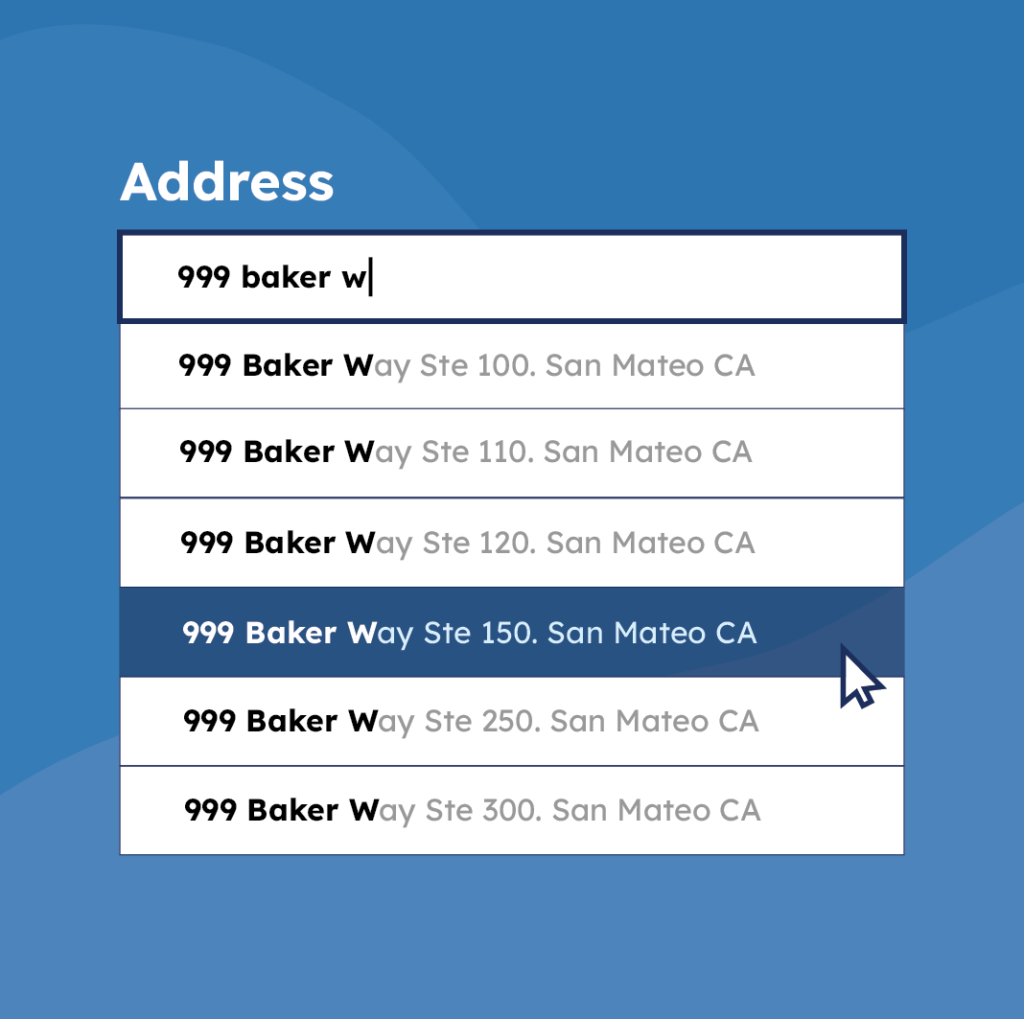
Address autocomplete is a feature that suggests addresses to users as they type into a form. The user can choose from a list of pre-validated address records. This ensures every part of the address is filled in correctly, from country and city to postal code and street.
But building an autocomplete form isn’t as simple as it sounds. Should the form ask for the postal code first, or the region? Which fields should use autocomplete? What data source powers the suggestions? And how do you keep the whole thing feeling fast and responsive?
In this article, you’ll get a blueprint for an in-house backend API for address autocomplete, covering key design decisions and the data sources you can pull to feed it.
The technicalities of building an API backend and frontend are beyond the scope of this article. They’re too dependent on your chosen programming language. As a personal recommendation, I favor React with Material UI for the frontend and Node.js with Express for the backend. You will need some solid technical knowledge of API backend and frontend design before you read on.
💡 Need reliable reference data to power your address autocomplete workflow? Our global database covers ZIP codes, streets, cities, and house numbers for 247 countries, all standardized. Contact us.
Why is address autocomplete important?
Better data, fewer costly errors
A reliable address autocomplete feature keeps inaccurate data from entering your system. But it comes with a trade-off: block free entry, and you risk losing sign-ups or orders from users whose address isn’t recognized. Allow free entry, and you lose the filter that catches typos and nonexistent addresses.
Getting this right matters because bad data downstream is expensive. Incorrect shipping addresses cause delivery delays, extra costs, billing system warnings, and wrong recommendations from store locator features, all of which hurt both your operations and your users’ experience.
A faster, easier experience for users
Beyond preventing errors, autocomplete makes forms easier to complete, especially for users on a time constraint, like finishing a purchase quickly. The result compounds over time: cleaner address data across your database and lower operational costs from avoiding the need to fix or chase down bad entries later.
Building and implementing an address autocomplete API
For this article, I’m going to assume that you’re using a data source with a structure similar to this:
- Countries: Lists all countries and their corresponding ISO code. This table should also include metadata cataloging which data is present and which is not, such as streets that might be missing or countries with no postal codes.
- Places: Linked to a country, lists the cities and towns.
- Postal codes: Linked to a place, lists the related postal codes. Note that one postal code can be included in more than one place.
- Streets: Linked to a place and a postal code, lists all related streets. Note that the same street can cross multiple places or postal codes.
Keep a few tips in mind
Keep a few tips in mind as we explore how to handle missing data and leverage a backend API for autocomplete.
Handling missing data: Note that some countries don’t have postal codes, or your data source might not have accurate data for that country. In that case, show a free input for the fields that are missing data.
Backend API and Referential Database: The form built in this tutorial calls a backend API that’s linked to a referential database. The API retrieves and validates data from the source and provides autocomplete when necessary. It’s important to remember that the quality of the result depends greatly on the quality of the reference data source. You can read the paragraph titled “Ensuring the quality of your data source” to learn more about this.
Choose your field order
There are two possible ways to approach building this form. You can enforce the fields to fill in this order:
1. Country -> Postal code -> Locality -> Street. This approach is easier technically, but some users might prefer to see a filtered list of postal codes.
2. Country -> Locality -> Postal code -> Street. This is a more traditional approach.
I recommend combining the two approaches into a single form and letting the user fill in whichever field they want first. The country should still be enforced as the first field to fill because it’s information all users can give quickly and correctly. It also narrows the available choices and lets you hide or show specific fields. As mentioned earlier, some countries don’t even have postal codes, so you wouldn’t need to show a field for them.
The final result for Approach 1 should look like this:

The final result for Approach 2 should look like this:

Display the data in the form
For some endpoints, the data is returned based on what the user is currently typing. To avoid having too many hits on your API endpoint, I recommend a delay of 20 ms. In that time, the user might continue typing their query; by introducing a delay, you avoid sending useless queries to the backend.
A convenient way to implement that functionality is to use the RxJS debounceTime feature.
Build the API
Here I’ll describe all the endpoints you need to serve to have a complete API. But first, let me share a few quick insights that I’ve found helpful:
Parameter reuse in queries
If a path contains a colon (:), that indicates a parameter that will be reused in the query.
Content structure for POST requests
For POST requests, the content’s structure is described as the payload in JSON format.
Autocomplete endpoint considerations
- For all the API endpoints that perform autocomplete, don’t return anything if the user hasn’t started typing. It would make little sense from a user experience perspective.
- When filtering on a user’s input, always do a case-insensitive search with wildcards before and after.
- Queries that might return large volumes of data should be limited to 100 results to improve query performance and reduce response time.
Unique identifiers and licensing
- Consider that important entities, such as postal codes and places, will have unique identifiers. Depending on your data source, the structure might differ slightly.
- Depending on your data source’s license, you might want to implement a per-user throttling and quota mechanism to avoid scraping all the data.
Approaches 1 and 2 — Country
Endpoint: GET /countries
This returns the list of countries without any filtering. The list is short enough to be loaded entirely on the client side.
Again, remember that some countries don’t have postal codes, and your data source might not have street data for all the countries. This is a good place to return that information and to show a free-text field for the missing data.
Approach 1 — Postal codes from Country
Endpoint: GET /countries/:iso/postcodes/:postcode
This returns the postal code autocompletion for a given country. The data must be filtered on the postal code.
Approach 1 — Places from Postcode
Endpoint: GET /postcodes/:postcodeId/places
Given a postal code, the API will return all the associated places.
Approach 2 — Places from Country
Endpoint: POST /countries/:iso/places Payload: { place }
This query should return all the places in a country. The data is filtered on the place entered by the user.
Approach 2 — Postal codes from Place
Endpoint: GET /places/:placeId/postcodes/:postcode
If the user chose a place from a country, this endpoint must be used to autocomplete the postal code.
Approach 1 and 2 — Street from Place
Endpoint: POST /places/:placeId/streets Payload: { postcodeId, street }
Note that the place and the postal code should be necessary to filter the street correctly. This, of course, depends on your data source, but combining both usually offers the most accurate discriminator.
Improving your address autocomplete API
The autocomplete mechanism presented in this article only works on perfect matches. That’s rarely good enough, so you’ll likely want to improve on what we’ve already got here.
Implement full-text search
Users are going to make spelling mistakes. To alleviate that in simple projects, you can use trigrams or the full-text search capability of your DBMS.
For more complex solutions, you can use a dedicated search engine such as Elasticsearch, OpenSearch, or Typesense.
Use additional datasets
Additional data can significantly enhance the user experience.
Weighted data for auto-completion
For example, consider how weighted data can improve the auto-completion. The most important places carry more weight, which helps sort the results into a comprehensible order for the user and aids disambiguation. With correctly weighted data, Boston (Massachusetts) would appear first in a list of the many cities named Boston in the United States.
Grouping places for user expectations
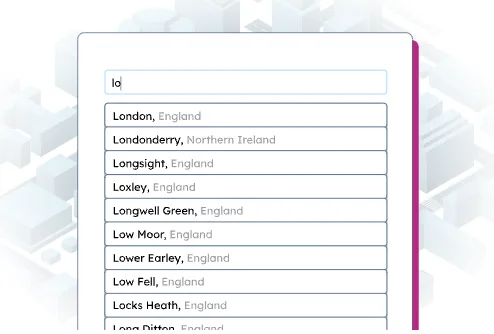
Another interesting improvement would be grouping places by the name people expect to find. For example, London doesn’t actually exist as a place within the fine-grained English administrative divisions but is rather a group of boroughs. Your users will probably still be looking for London, though.
Ensuring the quality of your data source
The quality of the data source used to build your API is critical to the success of your autocomplete feature. Otherwise, you’ll gather incomplete information at best and inaccurate information at worst. If a user enters data not present in your dataset, and you’ve made the use of your data mandatory, you could even lose the sign-up or the order, decreasing your overall conversion rates. This can be mitigated by allowing free text to be entered, but it will worsen the captured data quality.
8 properties to compare before you pick a data provider
The data source you work with needs to include an up-to-date, exhaustive list of valid postal codes and places for all your target countries. Streets can be left optional, but having a complete list of streets helps. As it’s difficult to always have an up-to-date list of valid addresses, it’s best to allow free text. You can combine both approaches by trying auto-complete first and then allowing free text if nothing is found.
| What to check | What a good source offers | What GeoPostcodes offers |
|---|---|---|
| Coverage | Coverage for every country you serve today and may expand to tomorrow, at the level of detail you need, including hard-to-source markets. | 247 countries at ZIP code and city level, 81 at street level, and 51 at house-number level. Including hard-to-source geographies such as China, Japan, and Brazil. |
| Authoritative sourcing | Records traced back to postal operators and government registers, with sources clearly documented. | More than 1,500 authoritative sources, including postal operators, government agencies, and official registers. |
| Consistent structure across countries | Every country mapped to a single schema, with consistent administrative levels. | One standardized structure across all 247 countries, with no aggregation work required on your side. |
| Country-specific address formats | Field order rules that follow each country’s postal conventions, so your form matches the destination format. | 233 address formats mapped country by country. |
| Multilingual names | Local names, foreign names, English names, and transliterations from non-Latin scripts. | Support for 299 languages. For example, a user typing “Bruxelles” can still find a place stored as “Brussel.” |
| City definitions | Places classified by relative importance, giving your ranking logic a clear signal for sorting results. | Standardized city definitions with importance ranking, with boroughs and districts linked to the city users recognize. |
| Update frequency | A documented refresh process and a dedicated team reviewing changes. | Our team reviews and curates source changes to keep the dataset always up-to-date. |
| Delivery model | A hosted API suits quick integration and lower query volumes. A self-hosted dataset is better suited to teams that need greater flexibility, security, and cost predictability at scale. | Self-hosted, giving you full control over autocomplete logic, field order, and ranking while keeping address data within your own infrastructure and costs predictable as traffic grows. |
Conclusion
Having an address autocomplete form is crucial to many business processes, such as logistics and online sales. It vastly improves data quality and ensures correct data processing. With all the information covered here- what it looks like to start with the postal code or place for your form and why you’ve got to have a reliable and updated data source- you should be well on your way to creating the perfect form to capture accurate addresses.
FAQ
Should you use a metered API or a self-hosted database for address autocomplete?
A metered API can work well for a single-country form with low query volumes. A self-hosted database is better suited to multi-country coverage, high volumes, or teams that want full control over their autocomplete logic.
Providers such as Google Maps, Geoapify, and Mapbox handle both data and search for you. In return, you work within their ranking logic, result formats, and usage-based pricing.
With self-hosted data, those decisions stay in your hands. You control field order, weighting, and grouping, while address data remains within your own infrastructure. This simplifies security and compliance requirements, and costs stay predictable as traffic grows.
GeoPostcodes provides self-hosted datasets covering 247 countries, built for scale, compliance, and predictable costs.
What is a global address autocomplete API and how does it ensure correct address input?
An API is a tool that streamlines address input by suggesting valid addresses in real-time. Autocomplete APIs offer accurate suggestions based on local postal formats, improving user experience and input efficiency.
How can businesses enhance address data quality with address autocomplete and verification tools?
Organizations can implement these tools to suggest valid addresses in real-time and verify them against local postal formats. This reduces errors and improves database reliability by collecting validated addresses.
What role does local postal authority format play in address verification?
Local postal formats serve as standards for valid addresses in specific regions. Address verification tools compare input addresses against local postal authority formats to ensure correctness and reduce submission errors.
Which countries do address autocomplete providers cover?
Coverage varies significantly by provider. Crowdsourced sources such as GeoNames and OpenStreetMap offer global coverage, but the level of detail and accuracy can vary by country and contributor.
GeoPostcodes provides self-hosted data for 247 countries, including hard-to-source geographies like China, Japan, and Brazil, with street-level data available in 81 countries and house-number data in 51.
How much does an address autocomplete provider cost?
Address autocomplete costs typically come from two components: the address data itself and the logic that used to search, rank, and return suggestions.
Open datasets like GeoNames and OpenStreetMap are free under attribution-based licenses, and GeoPostcodes licenses a self-hosted address database for a fixed annual fee.
In both cases, your engineering team builds and maintains the autocomplete logic.
Metered APIs like Google Maps, Geoapify, or Mapbox include that logic in the service, which reduces development effort but means costs increase with lookup volume.
Can a user input an address manually when using an autocomplete address API?
Yes, users can enter addresses directly, bypassing autocomplete suggestions if desired.
This flexibility allows accurate address specification whether pinpointing map locations or entering specific addresses.
How does an address autocomplete API improve address input?
An address autocomplete API enhances address input by providing suggestions as users type, reducing errors, speeding searches, and improving data quality through HTTP request-based matching.
What address data source should I use for autocomplete?
GeoPostcodes’ master address list provides comprehensive data perfect for building autocomplete functionality.
Does GeoPostcodes support international autocomplete?
Yes, through two self-hosted datasets: a ZIP code database covering 247 countries, and an address database with street-level coverage in 81 countries and house-number data in 51.
Both integrate directly into your own systems, so autocomplete runs within your infrastructure rather than through an external lookup service.
The address database also supports 233 address formats and 299 languages, allowing a single implementation to work across multilingual markets.